It gives me great pleasure to announce the next major release of Radiance. The two main themes of this release are:
- Expanding on the foundational work of the previous release around color tokens
- Stability and bug fixes
Let’s get to what’s been fixed, and what’s been added. First, I’m going to use emojis to mark different parts of it like this:
 marks an incompatible API / binary change
 marks new features
 marks bug fixes and general improvements
Theming
Components
Radiance focuses on helping you make elegant and high-performing desktop applications in Swing. If you’re in the business of writing just such apps, I’d love for you to take this Radiance release for a spin. Click here to get the instructions on how to add Radiance to your builds.

It’s been three years since the last Aurora release, and today I’m happy to announce its next major update.
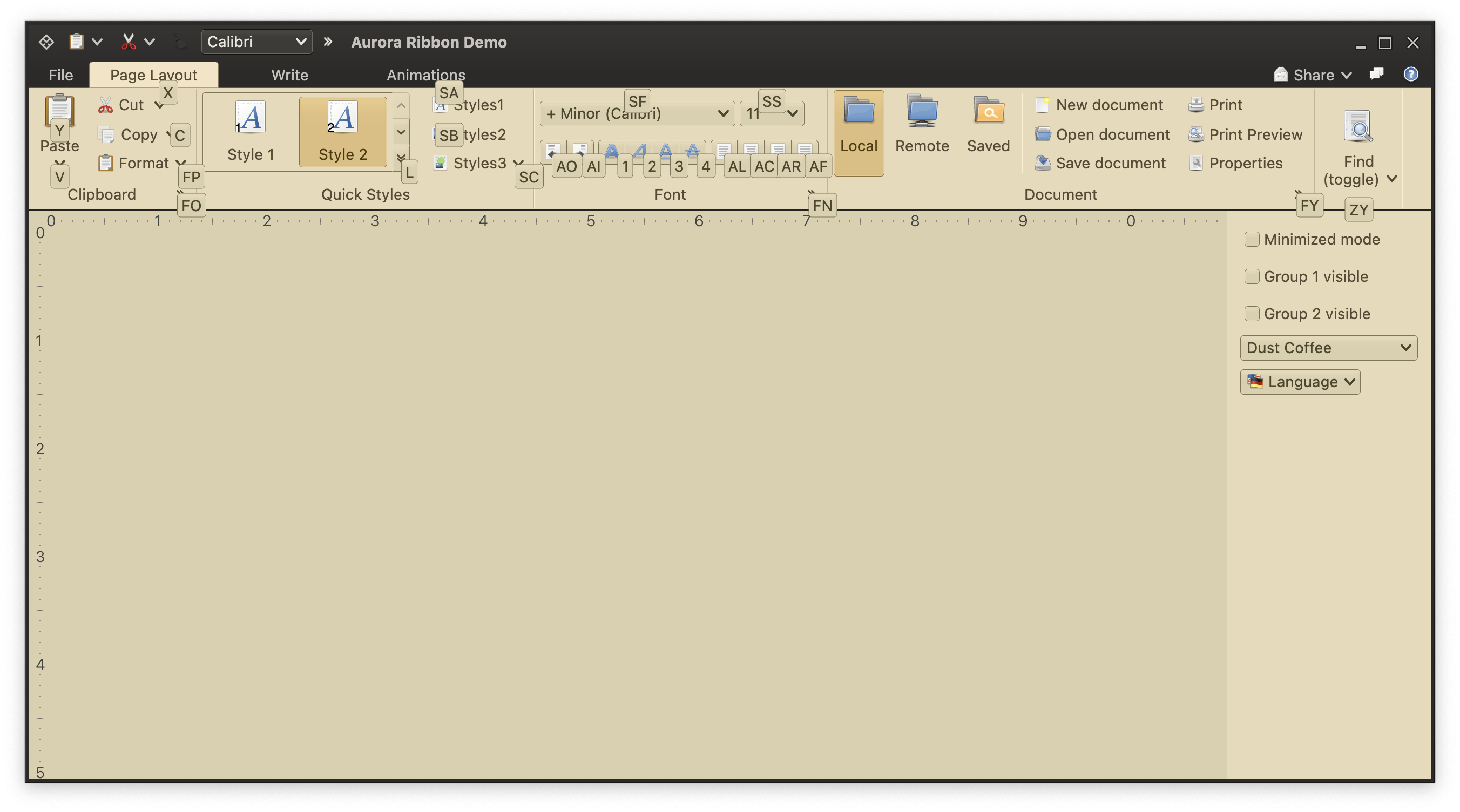
It took a bit of time to get here, but I’m hoping it was worth the wait. The first main addition in this release is the full-featured ribbon container that provides the functionality of the Microsoft Office command bar. It supports regular and contextual ribbon task groups, regular and flow ribbon bands, application menu, taskbar, and anchored command area. It also supports flexible and configurable resizing of the content for ribbon tasks, ribbon bands, and individual ribbon content pieces.
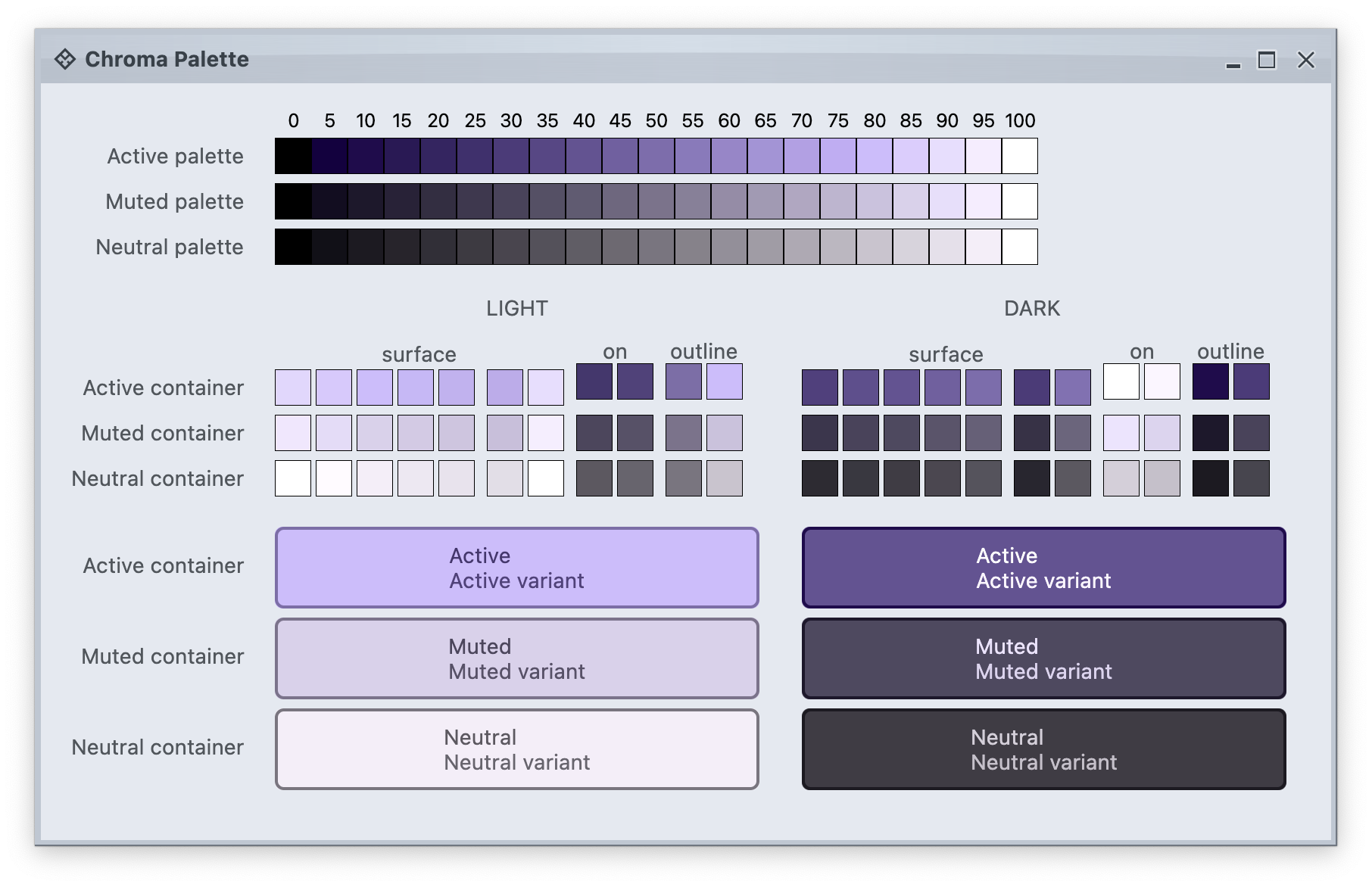
The second main addition is the full alignment with the changes that went into Radiance in the last year. Aurora 2 uses the Chroma color system from the Ephemeral design library, which builds on the core foundations of the Material color utilities.
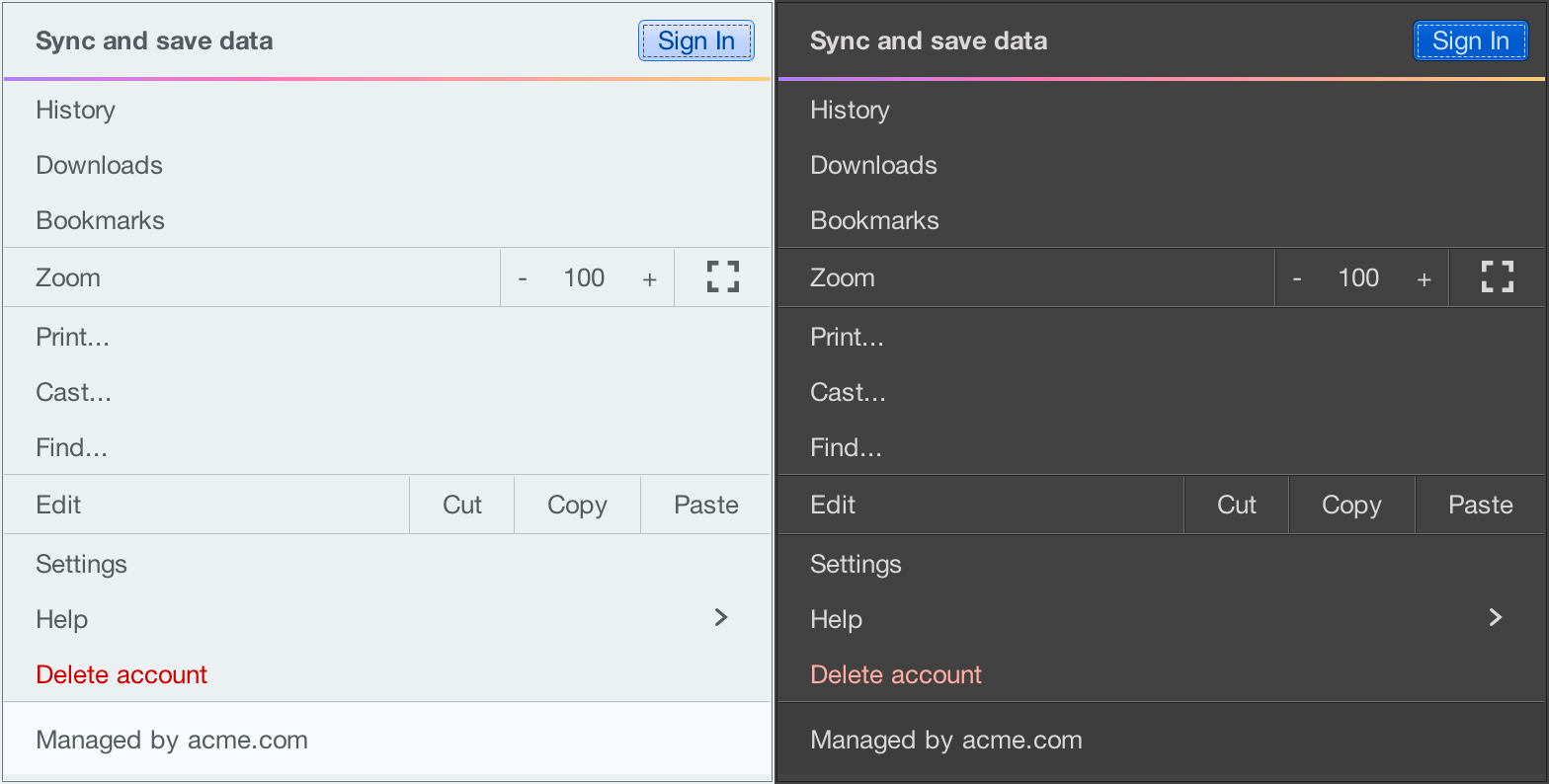
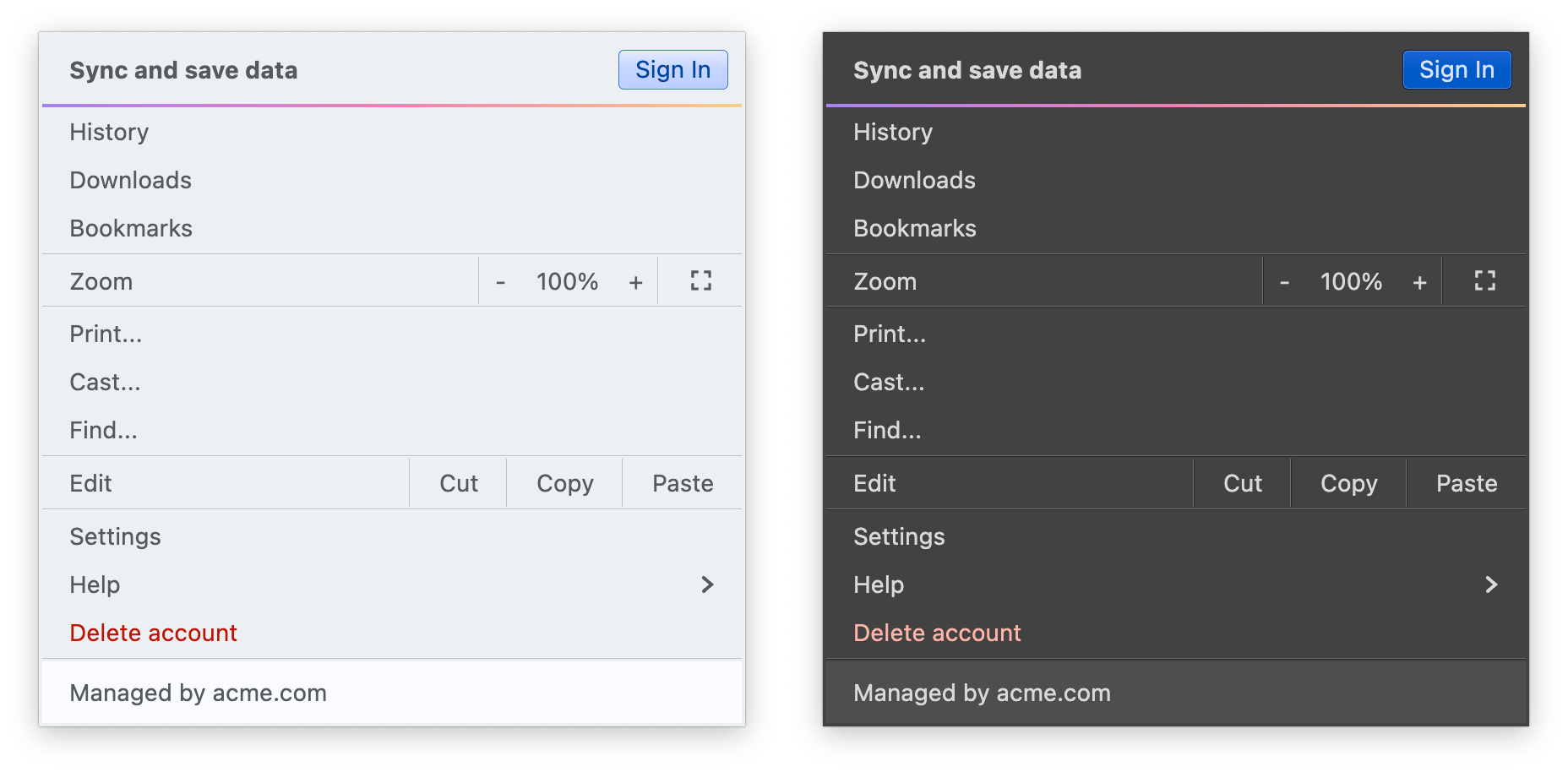
It introduces APIs for system tokens – info, warning, error, and success – that can be applied to any element in the UI hierarchy, like shown here for the “Sign In” button (info styling) and “Delete account” (error styling), seamlessly adapting to light and dark skins:
In addition to streamlining the painter APIs, this version adds new surface and outline painters that emulate the appearance of a 3D glass object lit from straight above, as can be seen here under the Mist Silver skin on buttons, combo boxes and other components:
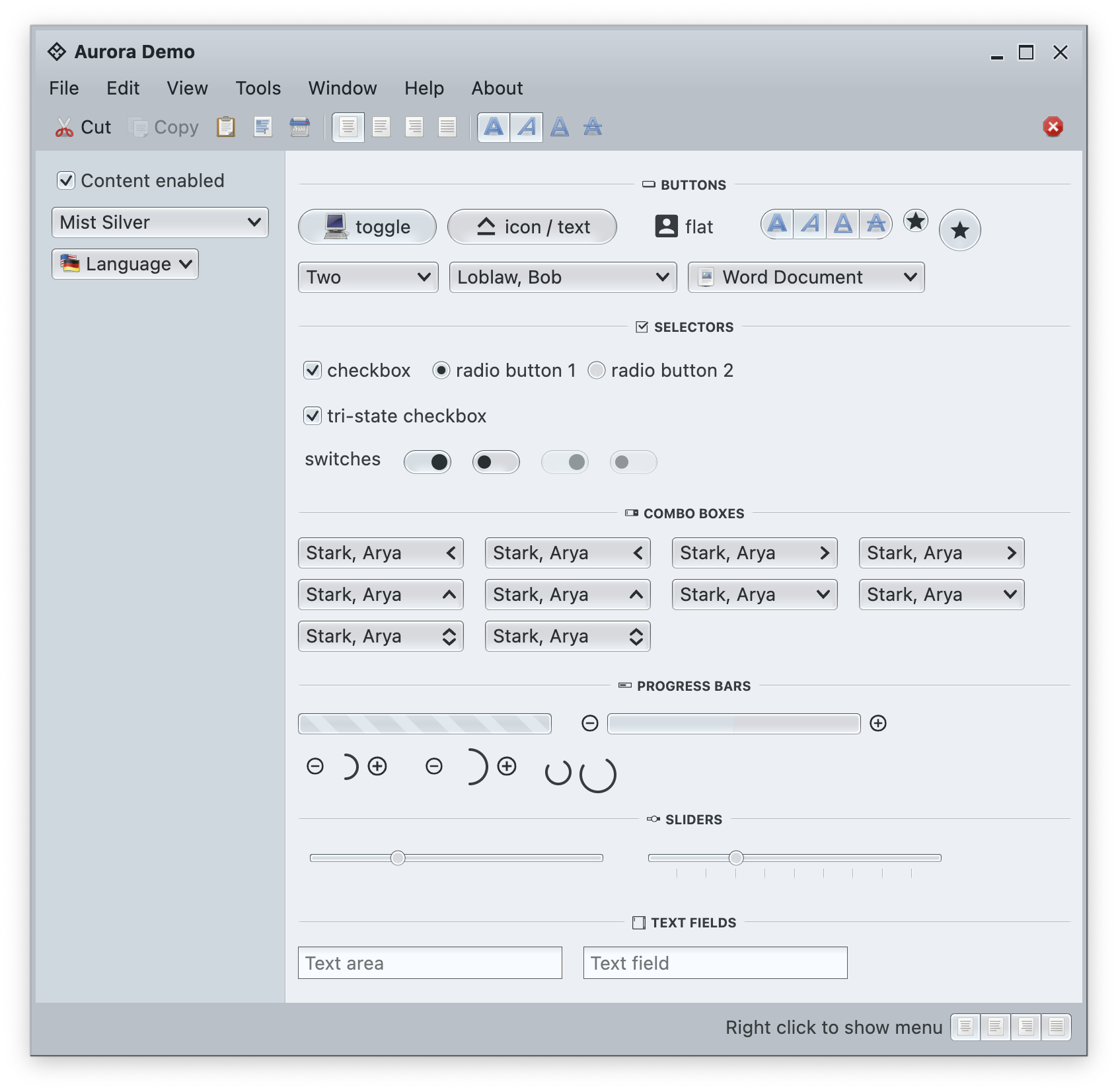
Among the many other, smaller improvements in this release you will find:
The next couple of years are shaping up to be quite exciting for both Aurora and Radiance. If you’re in the business of writing desktop Compose apps, I’d love for you to take Aurora for a spin. Stay frosty for more features coming in 2026!
Continuing the ongoing series of interviews with creative artists working on various aspects of movie and episodic productions, it is my pleasure to welcome Jess Dunlap. In this interview, he talks about the transition of the industry from film to digital, finding the balance between technology and art, the meaning of art, and advice he gives to younger cinematographers. Between all these and more, Jess dives deep into his work on “Herman” that is releasing on video-on-demand channels tomorrow.
Kirill: Please tell us about yourself and the path that took you to where you are today.
Jess: I’m a cinematographer, currently based in Los Angeles, but I am originally from Massachusetts – not too far from Boston. I went to Emerson College to study film and specialize in cinematography. I didn’t know until late in my childhood that I wanted to do anything in film, or even anything artistic long term. I did have artistic passions like music, but I was a science and math oriented student. I excelled in math, biology and chemistry, and I thought that’s what I wanted to study.
Then I reached a point later on in high school, where the standard setup of academia felt frustrating. I felt a lot more drawn to my artistic side, and it was music that opened up my eyes to the fact that one can pursue something artistic. So in a lot of ways, I abandoned my math and science oriented self, and decided to pursue filmmaking, almost on a whim. I was not super obsessed with movies, and it was a total 180-turn in my life at that point. It really felt like I was abandoning that more technical side of my mind.
I went to film school thinking that I would be a writer and a director, and that it would be a purely creative artistic process. Then I started working on a couple of short films during my first freshman semester, and I saw the role of the cinematographer, and I saw that it was obviously a perfect marriage of the technical and the creative. I saw that I didn’t have to abandon that math and science oriented side of myself. I saw that I could still exercise those parts of my mind, but be creative at the same time. Typically it takes me a while to make major life decisions, but that one came pretty easy. I watched the DP shooting on my first or second short film at Emerson, and I knew that it was what I wanted to do.
From there, I kept on pursuing that path. And since then, it has maintained its complexity, and how it challenges my left brain and my right brain at the same time. I love it.
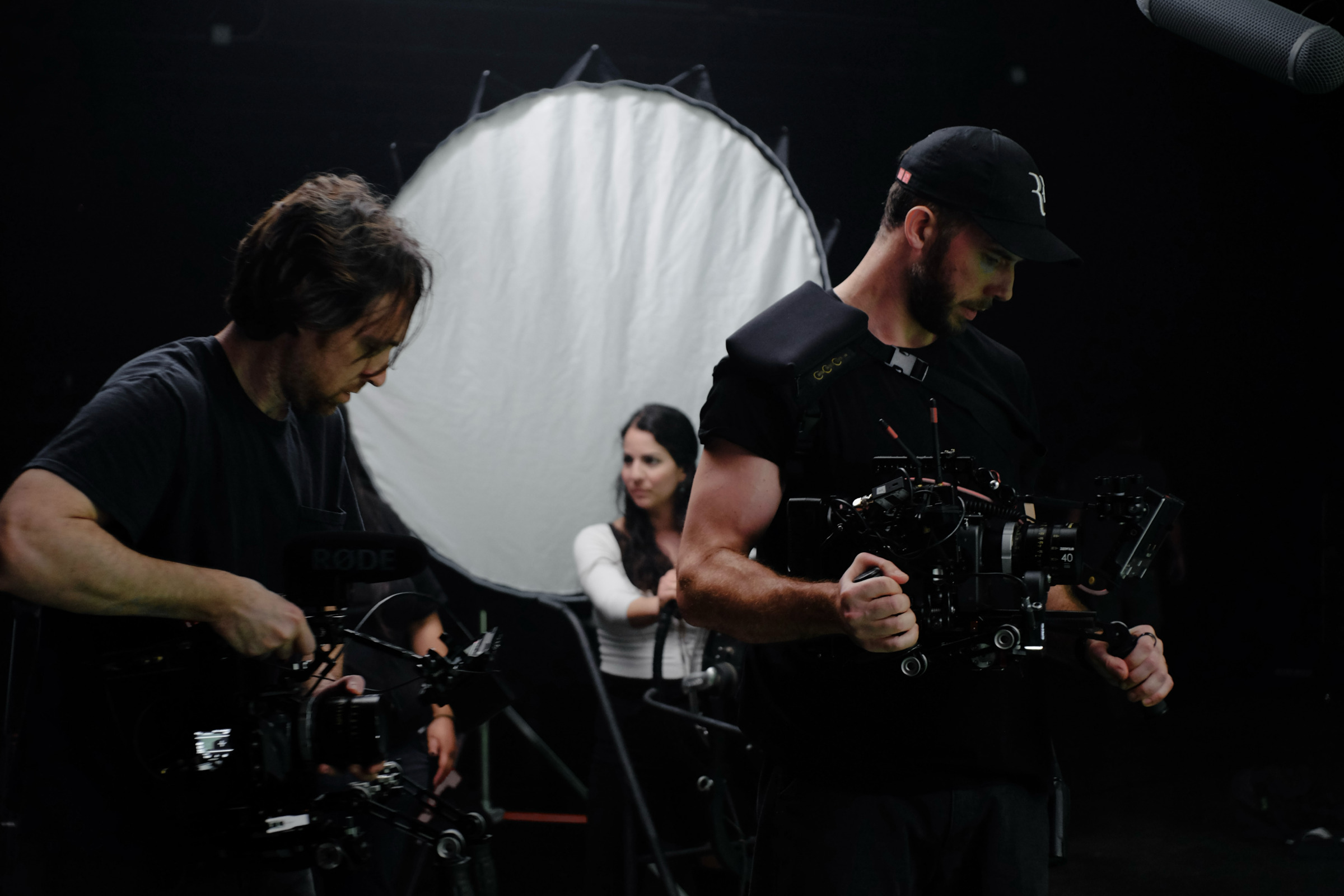
Jess Dunlap (right) on the sets of “Herman”.
Kirill: In this marriage of technical with artistic, do you find that one is more important, or is it a balance of the two?
Jess: It’s definitely a balance of the two. At times you do need to weigh one heavier than the other. You need the ability to go really technical when you need to, and the ability to go really artistic when you need to. If you’re not a highly technical person, it’s fine. There are ways to pick up the slack. Once you reach the level of cinematographer, you have camera assistants, you have a gaffer and a key grip who handle almost all of the technical issues for you. You don’t need to be an extreme technician.
Even within the artistic side, we’re exercising those capabilities of our mind that work with geometry, space, and physics. It is a role that’s well suited to someone who thinks in those ways.
Kirill: Do you feel that your field lost something important in the transition from film to digital?
Jess: Yes, at least from the perspective of a cinematographer. When I went to film school, we were shooting on film. Digital only started to really take hold at the end of my time there, so most of the bigger projects that I shot were on 35mm and 16mm.
When film was more dominant, the experience was that the cinematographer was the only one on set who knew how it was going to look. Maybe the camera assistant or the gaffer had an idea, but the cinematographer was really the only one who knew how it was going to look in the end. There was the monitor, but it was for framing. It wasn’t for lighting or exposure. Nobody knew what the mood was that was being created. The director described it and had their vision of it, but at the end, it was in the mind of the DP. Selfishly, it was fun. It was fun to be on set feeling like a kind of magician who has all these creative visual ideas running through you. Everybody else wanted to know how their work was going to show up – the costumes, the make-up, the production design.
Nowadays, a little of that is lost. You only need to look at the monitor to see what your work on costume, makeup or sets looks like. In some ways that’s good, because you can make more efficient decisions. But there’s something lost in the experience of the cinematographer.
There’s another difference in how much care went into shooting on film. It’s a more delicate process where mistakes matter more, and mistakes can be more expensive. The way we shoot on digital is you keep on doing more takes. You have time, and you keep on going, and you eventually get your take, but there’s something that is lost in there. There’s a little less pressure for everybody, including camera operators and even actors.
Continue reading »
Continuing the ongoing series of interviews on fantasy user interfaces, it’s my pleasure to welcome Dave Henri and Stefan Grimm. Dave founded Modern Motion Pictures back in 2009 to provide services to design and present screen graphics for film and TV. Some of the company’s more recent work includes “First Man”, “For All Mankind” and “The Morning Show”. Stefan first joined the industry to work on “Powerless”, and later on “Constellation” after he joined Modern Motion as a partner. In this interview Dave and Stefan talk about their work on the just released “Alien: Earth”, going back to the original aesthetic of the first “Alien” movie and expanding it to the bigger storytelling universe of the show.

Left – Stefan Grimm, right – Dave Henri.
Kirill: Please tell us about yourself and the path that took you to where you are today.
Dave: I’m Dave Henri, and I founded the company Modern Motion Pictures in Los Angeles in 2009. At the time it was a one-man operation to create screen graphics for use on set. I was an on-set operator and an engineer for a few years, and during that time I’d done an occasional graphic here and there, and I realized I needed a way to bill for it. The company took off, and I started doing a lot of my own shows – doing design and technical on-set work together. A few years into it we brought on our first partner Chris Cundey, and a few years after that the third partner Matt Brucell. By that time we’d been working quite a bit with Stefan. The first show we worked on together with him was “Powerless” set in the DC cinematic universe. A few years ago right after Covid we set up a German LLC / GmbH to handle European productions, and we brought Stefan on as a partner.
That’s the brief history of it, and as for why we do it – it’s just so much fun. You start with a blank screen, and a few hours later you have a moving graphic that’s going to be photographed and used on set – it’s amazing.
Stefan: I started in early 2000s as a web designer. Over time it kept on getting bigger, and grew from a one-man show to a small agency. When the first “Iron Man” came out in 2008, I looked at the Tony Stark’s helmet interfaces and started thinking about how those can be achieved. I was using mostly Flash in the beginning, but it was already starting to phase out at the time and I switched to After Effects.
As I continued doing web design, I also felt like I needed to play around with FUI [fictional user interfaces]. At that point I wasn’t aware that there was a term for it, and it was hard to search for references online. I was experimenting with trying to achieve the holographic looks inspired by Tony Stark’s helmet. A bit later in 2016 I made a small animation that counted from 0 to 100, and uploaded it on Behance. That’s when Dave appeared in my inbox and asked me if I’d be interested in doing graphics for TV shows.
It felt unreal. I come from a small city in Germany, and I considered myself to be lucky to be doing web design. I never had any thoughts about working in the movie industry. We had our first phone conversation, and I was really excited. But my first reaction was to refuse it, because I didn’t know anything about this industry. I did ask Dave to send over some examples he had in mind for “Powerless”, and I gave myself a weekend to revise those designs to be more aligned with my design approach. When it was done, I sent him a huge email, detailing all the changes and why I made them, and that’s how I ended up on that show. Those were my first baby steps into this industry, and I’m still enjoying being a part of it.

Screen graphics for “Powerless”, courtesy of Modern Motion.
Kirill: There are so many screens in our lives today, and they do find their way into the movies and TV shows. There’s not a lot of screen estate on phones, but they are so deeply integrated into everything we do every day. Do you have a preference on the size of the screen you enjoy designing for?
Dave: As a company of designers and programmers, we’re building a lot for phones for the moment. We developed a proprietary software called Magic Phone that perfectly emulates either an iPhone or an Android, and it’s quickly becoming an industry standard. We use it for all of our shows, and also license it out to other developers and designers. It does everything from phone calls to texting to social media browsing and more.
Like you’re saying, phones are everywhere. It’s become an increasingly important part of telling a story in modern day. You just can’t ignore phones. Characters are texting each other, whether it’s a romance or a spy thriller. We also do shows with big screens in big rooms. “For All Mankind” has had multiple mission control sets throughout its five seasons. “The Morning Show” has the studio set, as well as the control room. We also did Mission Control on “First Man”.
I personally like the bigger, more out there stuff. It’s a little more exciting to be working on. But it’s also nice to be able to bring the reality of a phone call or a text, to fulfill something that is critical to a story and to make it look accurate. It’s getting a lot better, not just with our software but with other people’s work. A few years ago, if a character got a text from his wife, it was the only text in the thread. We did a big push with productions to give us the previous texts in their history. We might not see them text back and forth, but there has to be something there on the screen. It’s an interesting part to be striving for that realism.
Stefan: For me it’s definitely the big screens. My favorite sets are the ones where big screens and small screens are stitched together in a rig so you can play around with different sizes of graphics. I love mission control sets, and I’ve done a lot of those in the last two years [laughs]. Phone graphics are more tied to reality, because people use their smartphones every day. They know how it should look and how it responds to your inputs. – while a mission control set can be something more of a fiction. That’s why I have a bit more freedom to play around.

Screen graphics for “Powerless”, courtesy of Modern Motion.
Continue reading »
