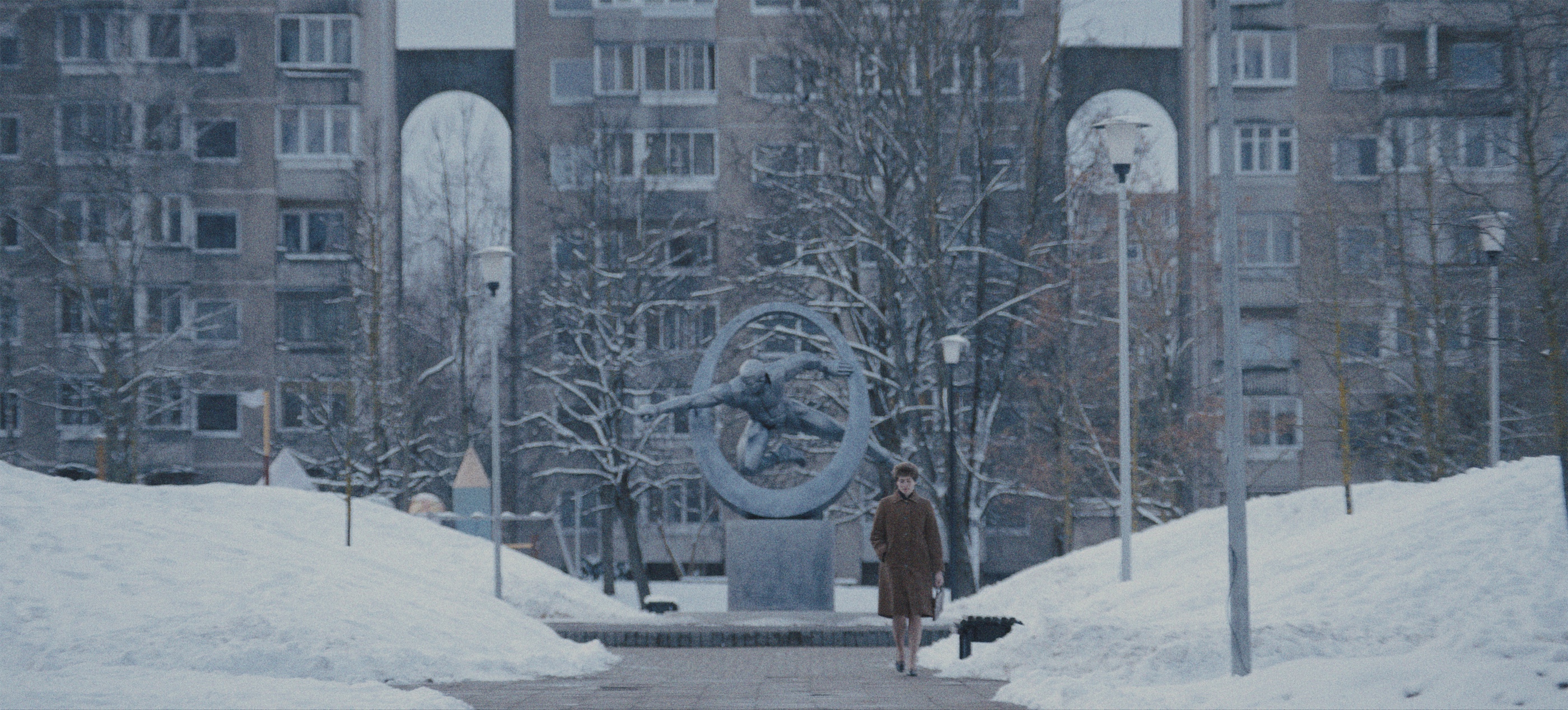
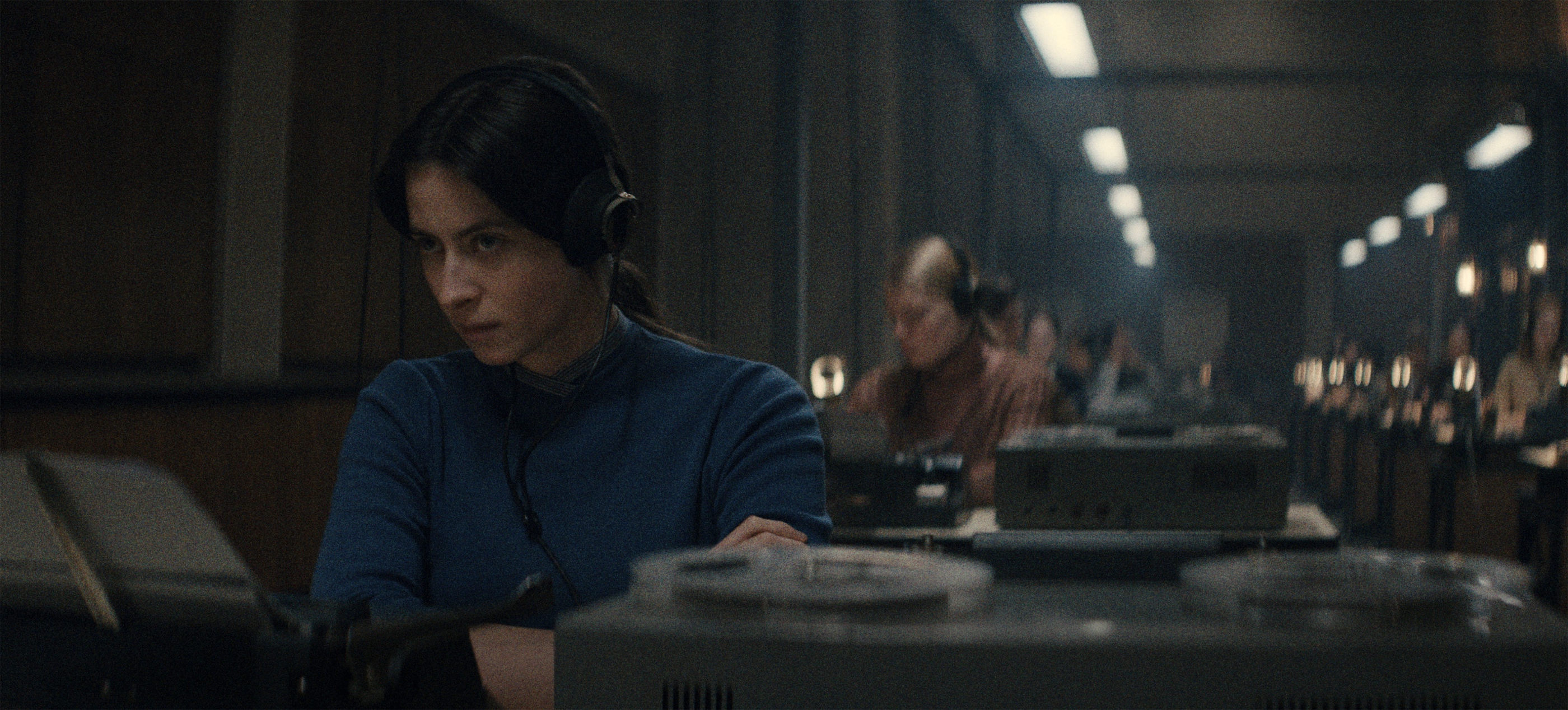
Continuing the ongoing series of interviews with creative artists working on various aspects of movie and episodic productions, it is my pleasure to welcome Lowell A. Meyer. In this interview, he talks about the transition of the industry from film to digital, the role of the cinematographer, the evolution of tools at his disposal, and his thoughts on generative AI. Between all these and more, Lowell takes a deep dive into his work on the just released “Tuner”.

Cinematographer Lowell A. Meyer on the sets of “Tuner”.
Kirill: Please tell us about yourself and the path that took you to where you are today.
Lowell: My name is Lowell A. Meyer. I am a cinematographer, and I was born and raised in New York City. I discovered my love for photography around middle school. I was lucky in that my dad happened to be a hobbyist. He had like a photo camera, and he had a video VHS camera that he didn’t use because he was working all the time. I found them sitting on the shelves, and asked him about that. He taught me how to use it, and I got into it through making little short films with friends. Sometimes in school they ask you if you want to write an essay or if you want to make a short video instead. For me, it was so obvious that making the short video would be a lot more fun. I would travel around New York City skateboarding, and I would bring this camera with me or film my friends skateboarding.
When it came time to set my sights on colleges and what I might want to study if I were to go, my parents were great and they encouraged me to follow my passions. Right around that time I started to discover a love for films. Nobody in my family is in the film industry, but I was a part of the generation that grew up with DVDs that had behind-the-scenes featurettes in them. You went to the DVD home screen and it would show you a little bit of the making of the film. I started watching those and developing a love for cinema alongside a friend of mine, Eric.
It sounded like a lot of fun. I didn’t realize people made movies, and that they made money making movies, and that that’s a career path. I started to investigate that path, and I also started making more serious short films, either directing or shooting. I saw people doing this for a living, and I told myself that maybe I should try that as well.
Every experience I’ve had since then, like going to film school and moving to LA, reinforced that this is what I love doing. I can’t see a world where I do something else. It’s such a fun experience to be on a film set with so many people who are usually wonderful, creative and collaborative, and also have a similar love for cinema. It encourages like-minded cinema lovers to work together, and problem solve, and make something that we’re all hopefully very proud of.

Kirill: Where did you find yourself in the overall transition of the industry from film to digital?
Lowell: It would be wrong of me to say that I was a generation that grew up with film. I was a generation that grew up with video. By the time I gained access to film and film cameras, RED One and ARRI Alexa came out. As I was shooting 16mm short films in college, everyone else was looking to see what those digital cameras were about. I wasn’t caught off-guard. I didn’t need to change all my ways of thinking. I was learning about film at the same time as I was learning about digital and video.
It feels like I’ve always had a lot of formats at my disposal, and that includes the iPhone. It was all happening at the same time – iPhone, RED One, Alexa, 5D and 7D. I was shooting with P2 cards and tape transfer decks to get the footage. I was interested in all of these formats at the same time.
Film was a desirable thing for me to use, but at the same time it was also not straightforward, and not easy, and not always encouraged, and not the most exciting thing. It was always talked about and glorified, but at the same time, “Black Swan” came out and Matthew Libatique was shooting some scenes on 16mm and some scenes with a 7D. I felt like I was at the advent of something. I bought a second hand Canon 5D Mark II in college because I wanted to do photo and video, and that was an empowering tool. It got me some of my first DP jobs.
Going to film always felt like a luxury, and not something that I was missing. At that point, the most experience I’d had with film was still photography. I loved 35mm still photography. Since then I’ve shot some more film, but not a tremendous amount. It’s not my go-to tool. I am a bit more digitally minded, and the directors I work with embrace that as well.
Kirill: Speaking of the advent of the digital cameras and the iPhones, it feels that the equipment today is more affordable than it used to be. There was a conversation a few years ago about how this would dramatically lower the barrier to entry for new filmmakers, and that we would be inundated with a whole new explosion of stories. But it also feels that there is another, more artistic barrier, if you will. Just because you have a camera in your pocket doesn’t mean that you become an amazing storyteller.
Lowell: That’s spot on. People come up with excuses for everything. If people don’t have success in their lives, they point at things to blame. They say they don’t have the best gear, or they don’t have the best crew, or that it was raining that day, or what have you. Great gear still costs money, but it is certainly more accessible today. It’s amazing what you can get for just a few hundred or thousand dollars.
In some ways, lack of access to professional gear was holding back some people in some ways. It’s amazing that we have all this gear. It allows people with that passion and that innate ability to rise to the occasion in a way that maybe they couldn’t in the past. But it takes a lot more than just technical know-how and access to gear. It takes resilience, chutzpah, naivete, willpower and sheer determination to never say “No”, to say that this is the only thing you will ever do in your life – and then backing that up with novel ideas, understanding the medium, understanding storytelling, understanding what audiences expect and what they don’t expect and how to subvert expectations.
It’s obviously a huge conversation beyond gear. Now we’re entering a world where maybe you don’t even need a crew or any camera gear at all. We’re entering a world where, as long as they have access to the Internet and a keyboard, anyone could potentially make a Hollywood film with AI technology and tools. That will continue to prove your theory correct. If everyone has access to AI software and can make Hollywood grade imagery and scenes – do they make something that stands the test of time with that? I don’t think that’s possible.
It’s not possible for every human on planet Earth to be the best filmmaker, and for their films to be novel and touch everyone. There will always be a small percentage of the population that makes really great art. The beauty of the day and age we live in now is that a small percentage can come from anywhere. In the past, it might have been only the rich and the elite, and the children of the rich and the elite. And now it can come from anywhere. That’s the gift we’ve been given.
Kirill: What do you feel are the misconceptions or misunderstandings about what a cinematographer does?
Lowell: People think that the cinematographer is there to light and shoot the most beautiful shots and scenes. There’s some truth to that, but I would say that the most important role of the cinematographer is to do that in accordance with the vision of the director and the story they’re telling. That doesn’t always mean beautiful. It’s always tailored to the director.
We are at the service and support of the director and their vision. Different directors have different needs, different ways of processing a scene and a script, and different ways of even creating a scene. Some directors don’t think in terms of camera movements and shots, and for some directors that is all they think about. Cinematographers have a tremendous impact on the ultimate product that gets made.
The misconception is that all we do is these beautiful visuals. But the reality of it is that we refine a director’s process, create a comfortable space for the actors to play, tailor a crew to a director’s strong suits and what they need, and fill in where they might have blind spots or weaknesses. We’re protectors of the director and their vision. We collaborate with the producers, the actors, and the production designer. A cinematographer does a tremendous amount of things before a shot even gets shot. Sometimes, the actual lighting and shot and frame is the last thing you do. There’s so much that comes before it – prep, pre-vis, and just gaming out how the movie will work and the shoot will be.
The more I’ve done it, the more I’ve realized how big and complicated this job is. It involves managing directors’ emotions, managing actors’ emotions, managing producers’ anxieties, etc.
Kirill: Is it a little miracle that any movie gets made?
Lowell: There’s so many people working on it to ensure it gets made. But the smaller the crew and the smaller the budget, the more it is a miracle.

Kirill: Is there anything that you are excited about today in terms of advancements in camera bodies, lenses, and lighting equipment – something that is emerging or on the horizon?
Lowell: I can’t think of anything that is upcoming or hasn’t been released yet that is exciting for me. But I would say, in terms of the day and age we live in, I’m grateful and excited for the tools available to me.
I can move so fast on a set because we have wireless, dimmable, color changeable lights that run on batteries. We were talking about camera technology changing, but lighting technology has changed far more drastically since when I was in film school. That has been an exciting evolution. It’s sometimes hard to keep up with everything that’s available, but you have the benefit of this collaborative art form. I might know a few tricks. The gaffer I’m working with on the given project knows a few tricks. The key grip knows a few tricks. Everybody contributes their little know-how and things they own and things they’ve had for years.
I’m really impressed with what we can do from a lighting perspective, and when you pair that with the cameras and lenses we have nowadays, it’s a completely different way to make movies. It allows us to do things at the speed and cost that were simply not achievable 10-15 years ago.
Kirill: How did “Tuner” start for you? How did it find its way to you, or how did you find your way to it?
Lowell: I had met the director, Daniel Roher, on another film we worked on together called “The AI Doc: Or How I Became an Apocaloptimist”. He was writing “Tuner”, and trying to get financing and casting for it, and about a week into us working together on that documentary he told me that he wanted me to shoot “Tuner”. I was excited, but at the time I had a conflict. It worried me to be getting this great opportunity, but to not be available.
But then things shifted in my schedule, and when he got financing, a window opened up and I immediately called him. I asked him if he already found someone else, and he said that they were going to start interviews soon, but if I’m available, let’s do it. I met with the producers, and that went great. Before I knew it, I was on a plane to Toronto to start our prep.
Kirill: You are from New York and this movie is in New York, but it’s shot in Toronto. How did it go for you?
Lowell: We had a lot of interior scenes, and Toronto is often faked for New York. If we are in a concert hall, who’s to say where that concert hall is? There was nothing specific about it besides its beauty. Sometimes we had little exterior portions where you’d be able to see out of a window of a cafe, and we wanted that to feel New York’y.
If you’re enthralled in the movie, and you’re engaged, and you’re liking the plot and the characters, your detective brain is inactivated. You’re not trying to pick it apart. And if you’re not engaged, and you hate the movie, and you start looking at everything but the characters, then maybe you’d be able to see a few “cheats”. I think we did a pretty good job. The locations department was one of the hardest working departments on the film. They had a tremendous amount to find and to make work for the script.
The thing we had to our benefit was that a lot of the movie takes place in mansions, music rooms, recital halls, apartments and houses. It wasn’t the hardest thing to fake. Like you said, I’m from New York, and I wanted it to feel authentic. I know what New York feels like and I could help a little bit.
We also filmed in New York for three days. We had a big walk-and-talk scene in the middle of the movie that we wanted to shoot in New York. And then we had to make sure that what we picked would match the exteriors of the other places in Toronto. If we were trying to make the movie in Cairo, Egypt, then we’d have a problem. But New York City and Toronto are not crazy far apart, and that helped us out with that match.
Kirill: What was the location for the Shafitz Hall? How much time did you get in there to make all the scenes?
Lowell: That was one of what I call “the big kahuna” locations. We identified early on that it was a big set piece of the film. That was the Royal Conservatory of Music in Toronto. It’s a beautiful space, and it’s also an active space that has a lot of bookings, so we had to work around their schedule.
We had two days at the start of the shoot, and then we had to leave and come back on Halloween. Halloween day was the day of the big recital, whereas the first two days were meeting Ruthie for the first time, walking through the spaces and tuning pianos. It was a difficult place to load in and out of. There were a lot of elevators. It’s a busy place. It came with caveats for us as a production. We had to ask ourselves if it was worth the expense. But it was so beautiful, and they gave us so much control over the lights.
It’s a little indie movie, and you have to put as much production value on screen as you can. That place felt like the most beautiful option that we had in front of us. When you work on a movie, you realize that there are some uncontrollable variables that are worth building everything else around, because it’s so valuable and it’s so worth it.

Kirill: How many different pianos did you end up shooting in those big mansions and halls? How many different mansions did you have access to?
Lowell: We had the rainbow piano. We had the one in the music recording studio. We had the big Yamaha that he tunes in the mansion. We had the music school. We had the recital piano. We had Harry’s piano. We had one that we bought and drilled holes into, so that we could get shots inside of the piano and get all of these inner workings. There were a few more, so probably close to a dozen.
We had two hero mansions. The movie has a lot of musical montages that track the passage of time – him trying to make money, how things are happening with Ruthie, etc. That meant that the script called for a lot of locations, and we were trying to find locations that could double as another location. We would try to find a mansion where maybe they added an additional wing or an additional set of rooms that felt completely different. Then you do the main space as mansion A, the rest of it as mansion B, and the basement as mansion C.
There’s the hero cafe where Dustin and Leo eat burgers in front of a big mural. We then doubled that cafe for the date night in the montage where Leo and Havana are in front of those red neon lights. And then we tripled it looking the other way when Leo is sad and he’s eating a burrito by himself. It was one of these creative games with the first AD Simon Board, the location manager Tristan Plant, the production designer Peter Cosco, me and the director Daniel Roher.
We’d call certain scenes floaters. We had the marquee scenes – Shafitz Hall or Ruthie’s apartment. We know what we’re doing there, we know that it’s going to be a full day. But then we have a scene that takes a third of a day, and we could put it anywhere. So if there’s an extra third of a day opening in the schedule, let’s try to find a roti shop near there. Daniel was flexible with locations, and open to the scene being different than what was scripted, or taking place in a different place that was scripted – if it helped our schedule and didn’t take away from the creative. It was a little bit of a game of Tetris in terms of the schedule and the locations.
Then we would do our best to be creative, and be open-minded, and find a new angle that could sell as one of these montage beats. One of the best parts of the movie is that it does build a world, and you really feel like you’re traveling around to all these places. That felt like an important thing, and we didn’t want to cut down locations. We wanted to keep adding more so that the movie felt full and rich.
Kirill: The story is very much about the auditory world of the main character, his hearing problems and his hearing abilities. You go inside the pianos as you mentioned, and you also go inside the safes. Was it super zoomed shots, or did your prop department build models of those gears?
Lowell: We considered the idea of blowing up miniatures to maxatures, and making bigger scale versions. But in reality, we didn’t have the budget or the R&D department to do that, and I don’t know if it would have looked great, to be honest.
I like to do camera tests and lens tests in advance. The movie script called for a lot of inserts, as well as the auditory visual clues and cues that you referenced. The director boarded a lot of the movie and it had inserts all over it. So it was clear to me that part of my role was going to be figuring out how to shoot the inner workings of safes and pianos.
My first lens tests were with macro lenses. There’s a popular probe lens on the market that people use, and I compared that to traditional macro lenses. I started asking myself if I could do it without asking anybody else for help and without any CGI. CGI wasn’t an option for our budget, and it was on me to figure it out.
There’s this ARRI Master Prime 100mm macro lens that I would put a doubler and a macro tube on, and that gave us extremely tight shots. And then, the art department cut open locks and gave me the exposed insides – lock tumblers, fences and gates. We would mount that on a C stand, and then get lots of angles with the camera. I also used that probe lens, sometimes with a doubler as well. We bought an old piano, bored a hole in it, and shoved that probe inside of it.
The schedule was tight, and we had a lot of locations that were prioritized. We had an insert unit day tacked on at the end of our shoot because inserts were so important, and we did around a hundred inserts on that day. And then, while the edit was being cut, I shot additional lock inserts. They shipped locks from Toronto to LA in a box, and I shot them.
Kirill: Do you know enough now about locks to be able to get into a safe yourself?
Lowell: I know essentially how people do it, but I don’t know if I have the patience or interest to even begin or try.
Kirill: How much time did you spend shooting inside and outside of their van?
Lowell: When we did our New York shoot, one day was with the actors and then two days were just me in a van with Daniel filming New York City street life. We were driving past Yankee stadium, driving down the George Washington bridge, and lots of other places. There was a lot of shooting from the inside looking out of the van. We also did the most amount of New York city driving plates I’ve ever done and commissioned. We had a weekend long New York plate unit before we even started principal photography.
We did a volume stage on day seven of the shoot with a tuner van. We had so many driving scenes and driving locations, and a lot of them are in montage. There’s only a few meaty dialogue scenes, so we knew that it would be advantageous to do that all in one day if we could all in a volume stage. We shot 10 or 11 scenes on the volume stage that day. That felt to be an important connective tissue to ground it in New York, to see the world through the eyes of this guy who’s driving in his van a tremendous amount of the day.
Kirill: Maybe I’m reading too much into it, but it felt that you were leaning into the golden yellows for the internal scenes.
Lowell: I don’t know if that was a consistent choice. If it’s an interior night scene, in general a warm color palette is great for skin tones. It made sense for Harry’s house, especially for Shiva. I wouldn’t say that it was ubiquitous.
This movie has a lot of different tones and genres and gear changes in it. When Lior’s character goes into the warehouse for the first time, it’s cold fluorescent lights. It’s not exactly cozy. It’s a weird, odd in-between space. When they go to that Korean drug house, that space has chaotic lighting. It has a cool blue fish tank, and some work lights, and a random light bulb, and some fluorescents. It’s a weird space where the person occupying it – if there is one – doesn’t care about how it looks. It’s just a drug paraphernalia place.
Going back to the warmth that you were talking about, it made sense for Ruthie’s apartment, for Harry’s place, for other places that felt safe and comforting for Niki. We associate tungsten light bulbs and household lights with cozy spaces. It’s a comforting association.
Kirill: What was the most challenging sequence for you to work on?
Lowell: On one hand, the whole movie was a complete joy, and the opposite of a challenge. And on the other hand, every day was a challenge because every day ended with the feeling that you were never going to come back to that space. The Royal Conservatory Hall with the big symphony orchestra piece at the end was challenging. We had three cameras, and they were all moving and sweeping the space. Everybody on set was enthralled that day. Everybody was in awe of what we were capturing, and of Havana’s performance, and of the music coming to life. It was stunning and fun, and a special day.
But as we were getting ready to go into that day, we all knew that it had high stakes. We had to nail it. It had to work. Everybody had to be prepared.
The drughouse sequence was probably one of the more challenging ones. We only had two days for it while we wanted three. There’s a fish tank that is exploding. We have three cameras on it, and if it doesn’t work, it would be an impossible amount of time to reset that we simply don’t have. Someone’s killed in the scene. Fish are flopping on the ground. Our character has to run outside and throw up and speed off. There were a lot of elements and characters. You’re shooting 360. There’s a lot of group dynamics in the scene. It felt like a lot to take on. Luckily, we got everything we needed, but it was by the skin of our teeth.
Kirill: In your head, do you feel Niki and Ruthie get back together or not?
Lowell: I don’t think about it because the movie just ends. In my mind, I don’t think that’s what the movie is hinged around. Because of that, if the movie kept going, I don’t think they would get together.
It’s a sweet gesture. It lands the plane because what they’ve done for each other has helped each other achieve something. Niki has helped Ruthie to feel inspired, to pursue her dreams and get to this maestro, and he helped her along the way improve her piece. And she ultimately helped him realize that it’s okay to keep playing the piano and not all is lost. In that way, that’s how the movie leaves me feeling. These two people touched each other, and that’s what love is about. And if that’s where it ends, that’s where it ends, and their stories will keep going.

Cinematographer Lowell A. Meyer on the sets of “Tuner”.
Kirill: Do you want people to watch this movie on the biggest screen possible? What would be your pitch to get people in the movie theater?
Lowell: Any movie worth its weight is better on the big screen. When you watch a movie at home, the movie is on your time, and you are the controller of if the movie keeps running. When you watch a movie in the theater, you’re on the movie’s time, and the movie’s going to keep going and you have to be there. It’s an event. It’s a time and a place and a date. You can bring your friends, but that movie isn’t waiting for you. You have to go meet it. You’re immersed and engrossed, and hopefully you’re not on your phone.
Also, for a movie like this where sound and music is half – if not more than half – of the picture, movie theaters also provide incredible sound systems. Maybe people have a big screen TV at home, but I doubt they have the best sound system at home. You’d be doing yourself a disservice if you left it to streaming or to those tiny airplane screens. That’s great if people will watch it later on, but if you have the chance and you have the means, definitely go see it and hear it on a big screen.
Kirill: How do you see generative AI today? Where do you find yourself on the spectrum between it being the impending end of human creativity and it being yet another tool at your disposal?
Lowell: It’s somewhere in between. It’s already being used as a tool in Hollywood, and a lot of people want to embrace it as a tool. You hear about studio heads, producers, directors, VFX departments all wanting it. I just heard a makeup artist talking about her latest movie, and how she was able to pre-vis with the director to put different looks on actors to go alongside specific costumes, and she said that she was astounded by how helpful that process was.
I don’t want anybody to lose their livelihoods to AI. I would hope that people could understand the difference between a tool and a human, and that they each provide their own wonderful contributions. But I fear that it won’t stop at a tool. These tools are only getting better and better by the second, and it’s not going to take much in Hollywood for producers and directors to feel empowered to make whole movies with these tools.
It soon will be the case where a whole movie can be done with the AI tools. That would open a whole set of new questions. Do they make better movies? Do they make movies that are as good? Do they save lots of money? It will become a market consideration. Do the people using these tools get rewarded for using them? And if they do get rewarded by audiences and by shareholders and profit margins, then unfortunately these will be industry swaying shifts. That does worry me, and it’s fair to say that that is a huge concern for everyone in the film industry.
The best case scenario is that it’s something where it’s relegated as its own thing like animation, but I don’t know. I would like to think that audiences would care about films and want to see them made for real with your real humans and real cameras – but it’s just nothing certain. The film industry hasn’t done a good job at staying incredibly relevant and incredibly profitable. And as it’s losing that hold on cultural relevancy, a tool like AI now seems to give a shot of revitalization for an industry that is struggling. We’ll see where it goes. It’s not looking incredibly hopeful, but it’s also not looking incredibly like a guarantee either.
Kirill: What would be a piece of advice that you would give to your younger self when you were starting off?
Lowell: My advice to my younger self would be to believe in yourself, to work hard, to work with like-minded people who lift me up, and to follow the fun. Make your film family, and try for big bold things. Don’t just settle. I think I’ve followed most of those things. I wouldn’t necessarily change my path, but that’s probably what I would say if I was trying to encourage myself. It’s all going to work out.

Cinematographer Lowell A. Meyer on the sets of “Tuner”.
And here I want to thank Lowell A. Meyer for taking the time to talk with me about the art and craft of cinematography. I also want to thank Jordan von Netzer for making this interview happen. “Tuner” is playing in theaters now. Finally, if you want to know more about how films and TV shows are made, click here for additional in-depth interviews in this series.
Continuing the ongoing series of interviews with creative artists working on various aspects of movie and TV productions, it is my honor to welcome back Mark Scruton. In this interview, he talks the critical role of production design and how it feeds into everything else, the changes in the art department in the last decade, key ingredients to longevity in the industry, and his thoughts on generative AI. Between all these and more, Mark takes a deep dive into the first two seasons of the charmingly delightful “Wednesday”.

Kirill: Welcome back! What have you been up to in the last 15 years since we did our first interview, and how was your transition from the world of art direction to the world of production design?
Mark: It was always my long-term goal to be a designer. Several opportunities came my way before I’d made the proper transition, but I always wanted to understand the craft fully before I took that role on in a meaningful way. I could have segued into designing low-budget things or things that I wasn’t invested in, or to jump up the ladder quicker, but I never felt that was the path I wanted to take. I always wanted to understand the craft and have confidence in myself that I was able to hold my own in the top field. A lot of this job is having the confidence to tell people what you think it should be, having the knowledge that you’re selling a design or a look or a whole concept for a show that you 100% believe in, and I feel you need that weight of experience to sell that with confidence. Personally, I could only ever do that if I had a fully rounded understanding of the world that I’m trying to sell.
I did a lot of big feature films, and I supervised a lot of films after we last spoke. “Gravity” was a huge learning curve. I was heavily involved in that film. It was very much an experiment, and we were making the process up as we went along. I supervised other big location and studio jobs after that, working with people like Steven Spielberg and Paul Greengrass and trying to understand all the different aspects of it. Then an opportunity came along, and as I read the script, I was thinking I can take this job on and I can do a good job of it.
You have to take a leap of faith. Once you start designing, you can’t go back to art directing in a meaningful way — not if you’re doing it seriously. It’s front of house. If you’re flip-flopping, it doesn’t present a strong career desire.
That first project was “The Informer”, and it had a lot of good in it. Unfortunately, it suffered from Covid. It was due to be released just as the lockdown hit, and it didn’t get released in cinemas for a long time, and when it did come out, it wasn’t really marketed, it was just put out there, cinemas were struggling and people weren’t going. Later on, it did find a new life on Netflix, and I’m happy to say that it was quite a big hit there.
That project taught me a lot about being at the sharp end of film production. I put a lot of effort into things that ended up not getting the attention they needed within the project. There was a lot of back and forth between what you thought was relevant and what ended up getting shot. It was an interesting learning curve in terms of understanding what was important and what wasn’t, and when to dig in on something and when not to. This job is a lot about budget management, like supervising, the difference is, you’re spending the money! — finding the best way to spend the money you have, knowing what to make beautiful and what doesn’t matter and what does.

On the sets of “Wednesday”, production design by Mark Scruton, courtesy of Netflix.
After that, I took on a TV show called “Pennyworth”, which was a DC spinoff set in the sixties about Alfred Pennyworth, who was Batman’s butler. That was really where I managed to get my teeth into designing something of scale. It had a good creative mind behind it and, with multiple directors lined up, it needed somebody to take it and run with it. It was a world-building exercise, but it wasn’t so overblown that it was unrealistic. It was exactly the right proportion where you could do interesting things without the studio breathing down your neck about the amount of money you were spending. You weren’t constantly having to justify yourself to people outside of the production.
In the end, I did two seasons of “Pennyworth”. It was a great initial brief with wide-ranging designs. We did amazing builds for it, with lots of environments like nightclubs, villainous lairs, cool apartments, and war-torn streets, with a heightened-reality sixties look, digging into fantasy and period worlds. It’s high-end TV with a feature-film-quality aesthetic. The expansive world of a TV show lets you explore those designs beyond their initial outing, giving you the ability to refine and learn.
These two projects were a nice springboard that led me to getting the call from Tim Burton to join “Wednesday.” It was a segue that I very much wanted but never imagined the way it happened, and I’m pleased it worked the way it did.

On the sets of “Wednesday”, production design by Mark Scruton, courtesy of Netflix.
Continue reading »
Continuing the ongoing series of interviews with creative artists working on various aspects of movie and episodic productions, it is my delight to welcome Małgorzata Karpiuk. In this interview, she talks about her journey into the world of costume design, the changes in the costume department in the last decade, key ingredients to longevity in the industry, and her thoughts on generative AI. Between all these and more, Małgorzata dives deep into her work on “The Testament of Ann Lee”, a wonderful reminder of the sublime magic of this delightful art form.
 Kirill: Please tell us about yourself and the path that took you to where you are today.
Małgorzata: My name is Małgorzata Karpiuk, and for the last 15 years I’ve been a costume designer on films, TV series, theater and commercials. I have been in the world of art since I was young. I loved to paint, I was deep into photography, I was singing a lot. I always had an artistic sensitivity, but I never thought that I would end up in the world of fashion and costume design.
My college degree was in linguistics, which is quite far from where I am now. After college I thought of becoming a journalist, and I started to write about fashion. I was also assisting another journalist with interviews with politicians, and that looked to be my path. But then I met a man, who became my boyfriend, and at that time he was – and still is today – one of the greatest stylists in Poland. He showed me his work, and it clicked. He asked me if I wanted to assist him on commercials and films he was working on, and it was a great fit for me.
I did a film with him as an assistant, or the second costume designer according to the local hierarchy. After a few productions I told myself that I was ready to be a costume designer, and a month later it happened. If you want to be a head of department, you have to feel that you are ready for it, because it’s such a huge responsibility. It was a special moment for me.

A sneak peek into the costume department of “The Testament of Ann Lee”, courtesy of Małgorzata Karpiuk.
Kirill: Looking back at these 15 years, what are the bigger changes in the costume department that you have seen happening?
Małgorzata: Timing would be the first one. We used to have more time back then. Technology would be the other. I remember those first productions with my boyfriend, and how we were doing moodboards by cutting images from newspapers and magazines, and making these patchwork arrangements. Now it’s all digital, and it’s easier. You have less prep time and less budget today, but the expectations are as high as they’ve ever been. You have to be both faster and better at the same time. You have to adjust to the shrinking timelines.
For the costume department specifically, the quality of fabrics and costumes is worse. You see the same things everywhere. When I’m doing a contemporary film, it’s hard to be unique, because everything is so commercialized and somehow the same. Maybe it’s because of how popular Instagram is, and how quickly trends get around the world. It’s not easy to do a stand-out contemporary film, and I hear it from my friends as well. I’m making costumes, or I’m renting them, or I’m searching for them in the shops – depending on the project – and it’s becoming more difficult each year to find something unique. Ten-fifteen years ago you were able to find good quality and unique fabrics, especially for period films. Now you see the cheapest versions of everything everywhere.
One good thing that I’m seeing recently is that we are starting to use more craftspeople. Maybe it’s my own experience, but I have moved from renting costumes to finding craftspeople to make costumes for me. If you want something unique, you really want a good craftsperson. They are precious.

A sneak peek into the costume department of “The Testament of Ann Lee”, courtesy of Małgorzata Karpiuk.
Kirill: What do you feel are the misconceptions or the misunderstandings of what costume design is?
Małgorzata: My experience has been that people think it’s an easy job. Maybe it’s because we all know where to get our clothes and how to wear them. But as a costume designer, you have to immerse yourself in the story to understand the characters. It’s a long, sometimes painful, process, and there’s a lot that goes into the final costume. You have to understand the story, understand the actor, understand the director, follow the producer’s idea, stay on budget, and many other things.
Kirill: One of my favorite parts of costume design is to see the initial explorations and sketches of ideas on paper. Was it difficult for you to move to a world that requires this specific artistic ability?
Małgorzata: Some people are good at designing from the head, and some are inspired by something external. I fall into this second category. I start by searching for the fabric and the color. It’s one of the beautiful parts of our job that we get to create something, and there are many ways to do that.
Kirill: Are you in the pen-and-paper world these days, or do you use digital tools?
Małgorzata: Pen and paper. I love pastel paints. I had an assistant recently who was doing all the drawings on a tablet, and I said that I can’t do that. I’m an analog person. I have my notebooks, and I bring them with me everywhere. I feel that it has to flow through my hands.

A sneak peek into the costume department of “The Testament of Ann Lee”, courtesy of Małgorzata Karpiuk.
Continue reading »