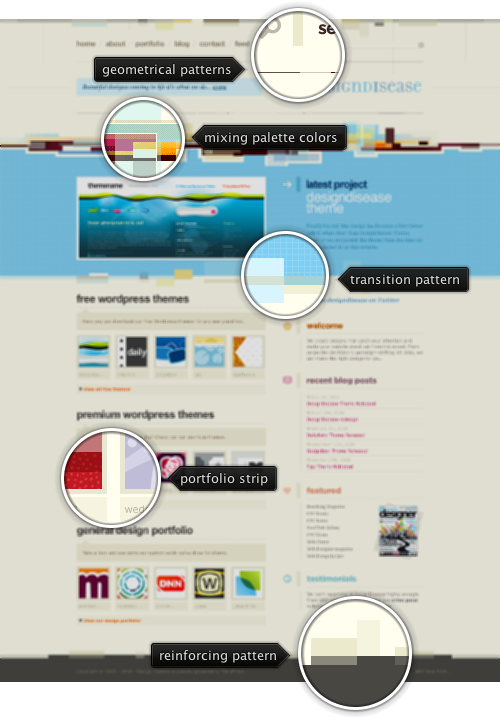
Today’s post highlights the design of DesignDisease.com. A rich pastel color scheme, a wide array of geometrical patterns, a string two-column grid and consistent use of rollover animations make it a memorable experience.
My favorite part is the usage of the color palette for transitioning between different sections on the main page. The color palette consists of three primary and two secondary colors. Pastel yellow, light blue and brownish gray are used for solid background fills, as well as for section headers and texts. Brick orange and dark purple are used in a few places for the subsection headers. The main page has four sections: the header, the latest project, the main section and the footer. Each section has its own combination of the primary colors for background and foreground, with an intricate bleeding of colors at the seams between the sections.
While other designs feature either an immediate or a smooth color transition between sections with different background, the designers opted out to use semi-random patterns of extruding rectangular blocks that borrow and mix the background colors from both sections at the seams. Color mixing is done in both saturation and value, creating a jagged yet pleasing visual effect along the transition seams. In addition, note how the transition from the header to the latest project uses all five palette colors, with heavy emphasis on orange and purple hues.
The main page features a strong two-column grid. Note how the content in each section is divided in two columns, with perfect inter-section alignment further emphasized by guider line segments and small vertical rectangles along the left edge of the right column. One can even see a “phantom” third column in between the two, containing stylized themed icons corresponding to the subsection headers in the rightmost column.
Finally, the animations. If you move the mouse over the navigation menu, you will see a fading sequence in which the main element (under the mouse) becomes more saturated, while all the other elements gradually fade out. The same effect is applied on other sections – move the mouse over the thumbnail strips in the main section, and over the link lists in the right column. The same effect is applied consistently throughout the site – for example on “With love” and “Portfolio” pages. The only thing i would change would be to make the transition to use saturated colors a gradual process instead of an immediate switch.
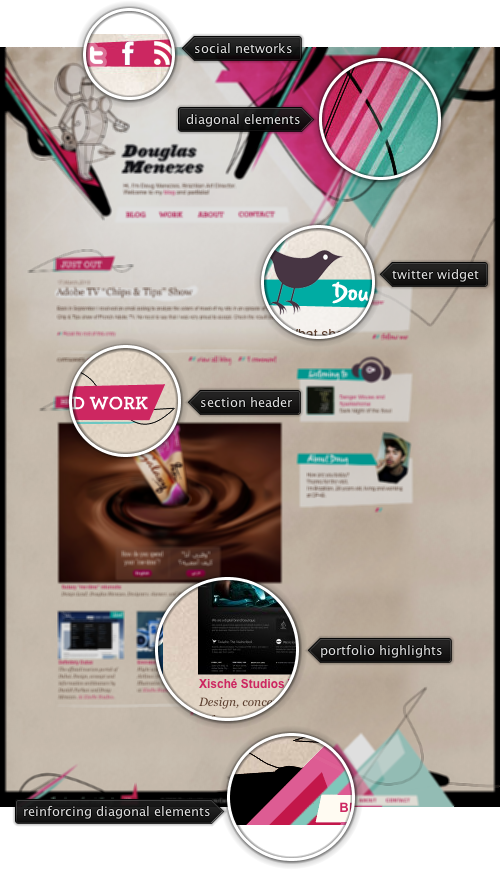
Today’s post highlights the design of DouglasMenezes.com. While at first it seems a hastily thrown together bunch of disjointed geometrical elements, it reveals a surprisingly consistent visual exploration. There are three key elements pervasive throughout the design – a color scheme, overlapping diagonal elements and freeform paths.
The color palette consists of two parts. First, it defines four colors used for diagonal elements – desaturated teal, bright pink, light pink and light ochre. The second group of colors – ochre, white and black is used for the background, texts and freeform paths. Link segments bridge between the two groups by borrowing both pinks for the foreground / rollover.
The vast majority of diagonal elements have the same 45 degree slant. Even a seemingly random patch of oversized layers in the top-right corner follows this rule. The same slants are used in the background highlights of section titles and small two-stripe icons next to some of the links (which, surprisingly, are implemented in Flash). Thin black freeform paths weaving in and out of the diagonal elements add a small and welcome degree of visual chaos to the picture. There are a few very small visual elements that break the four major orientation axes (horizontal, vertical and two diagonals). One of them is a thin pink strip of social network icons in the top-left corner, and a couple more can be found in the footer.
Strongly oriented diagonal elements are an emerging trend, and will appear in some of the next installments of Design, Uninterrupted.
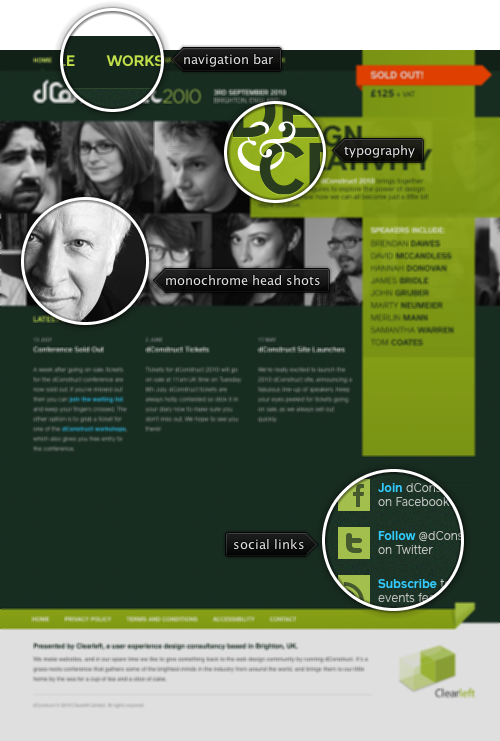
Today’s post highlights the design of 2010.dConstruct.org. A bright yellow green stripe cross in the top right corner of the page highlights the boldness of the design and the precision of the layout. It is the frontmost element in a multi-layer structure that includes a monochrome two-row strip of conference speakers head shots, a precisely crafted tagline bound together by a vignette ampersand and a bright orange “sold out” ribbon stripe that adds further depth to the design. Note how the stripe cross background is partially translucent, making some of the underlying facial features visible – without impairing the readability of the conference description and the list of speakers. Try resizing the browser window horizontally to see an interesting scrolling and anchoring effects on the head shots strips. Move the mouse over each one of the screenshots to see a full-color portrait and the speaker name.
The bright yellow green color of the stripe cross is used as the main highlight color throughout the design, completing the strong and vibrant color palette of white, dark teal and bright blue for the links. The strong geometrical shapes and the lively color palette are used consistently on all the site pages, such as “Schedule” and “Workshops“.
In order not to overload the visitor, the main page offsets the strong stripe cross and portrait strips visuals with short and well spaced text segments. A simple navigation menu along the top edge uses the palette’s yellow green for the texts, and very short texts in all-caps with no icons. The latest news are displayed in three short columns to the left of the stripe cross, centering the visual balance roughly along the center axis. A simple footer combines various legal links and a small promotion blurb for the agency behind the conference.
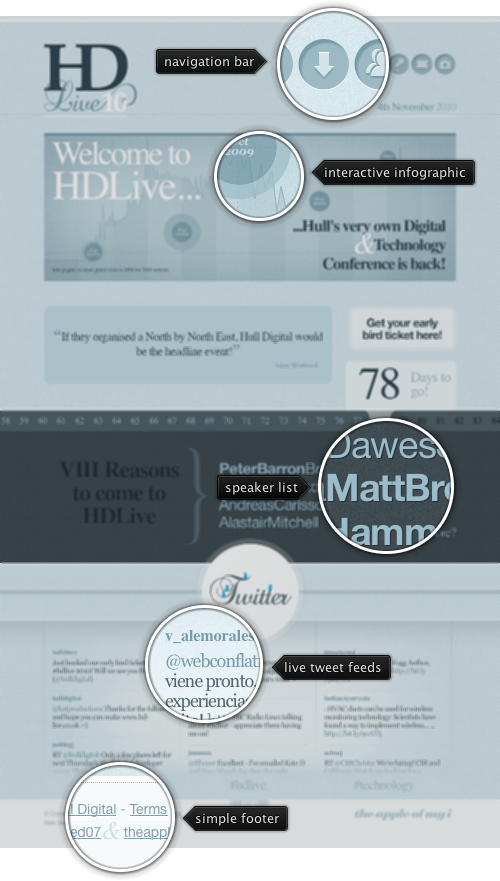
Today’s post highlights the design of HD-Live.co.uk. Partially done by the previously featured Rob Palmer of Branded07, it features a wide array of subtle and unobtrusive live content that makes it a prime example of a modern web design. Set in various shades of desaturated slate blue, the design mixes a number of oversized graphical elements together in an attractive, balanced and well-spaced layout.
The navigation bar is a set of inset circular faux buttons with simplistic themed icons. Moving the mouse over each button reveals the button tooltip in a quick fade slide animation. Follow the different links (such as “Speakers” or “Partners” to see how the main theme is maintained throughout the entire site, including the colors, stylized graphics, short text bursts with oversized fonts and the time ticker strip).
Animations play a pivotal role throughout the landing page. The big quotation box directly above the time ticker strip uses a longer cross-fade animation with attractive typography (note the quotation marks and italicized author name). The bottom part of the page features a three-column Twitter feed that tracks live results for the event-specific search terms. Each column uses a well-timed sequence of fading out the topmost tweet, loading the next result and then sliding up the updated content. Moving the mouse over the specific column pauses the animation sequence on that column, enabling easier interaction with the links in the currently shown tweets.
A simple footer with copyright notices and a nice styling of the ampersand glyph completes the design. Note how most of the content in the footer has much lower contrast than the rest of the site, while still using the same washed out slate blue palette with saturated light blue for link rollovers (that dovetails with the saturated colors used for the tweet birds in the section directly above it).
