
I’m pleased to announce the next major release of Aurora. The two main themes of this release are:
- Expanding on the foundational work of the previous releases around color tokens, painters and shapers
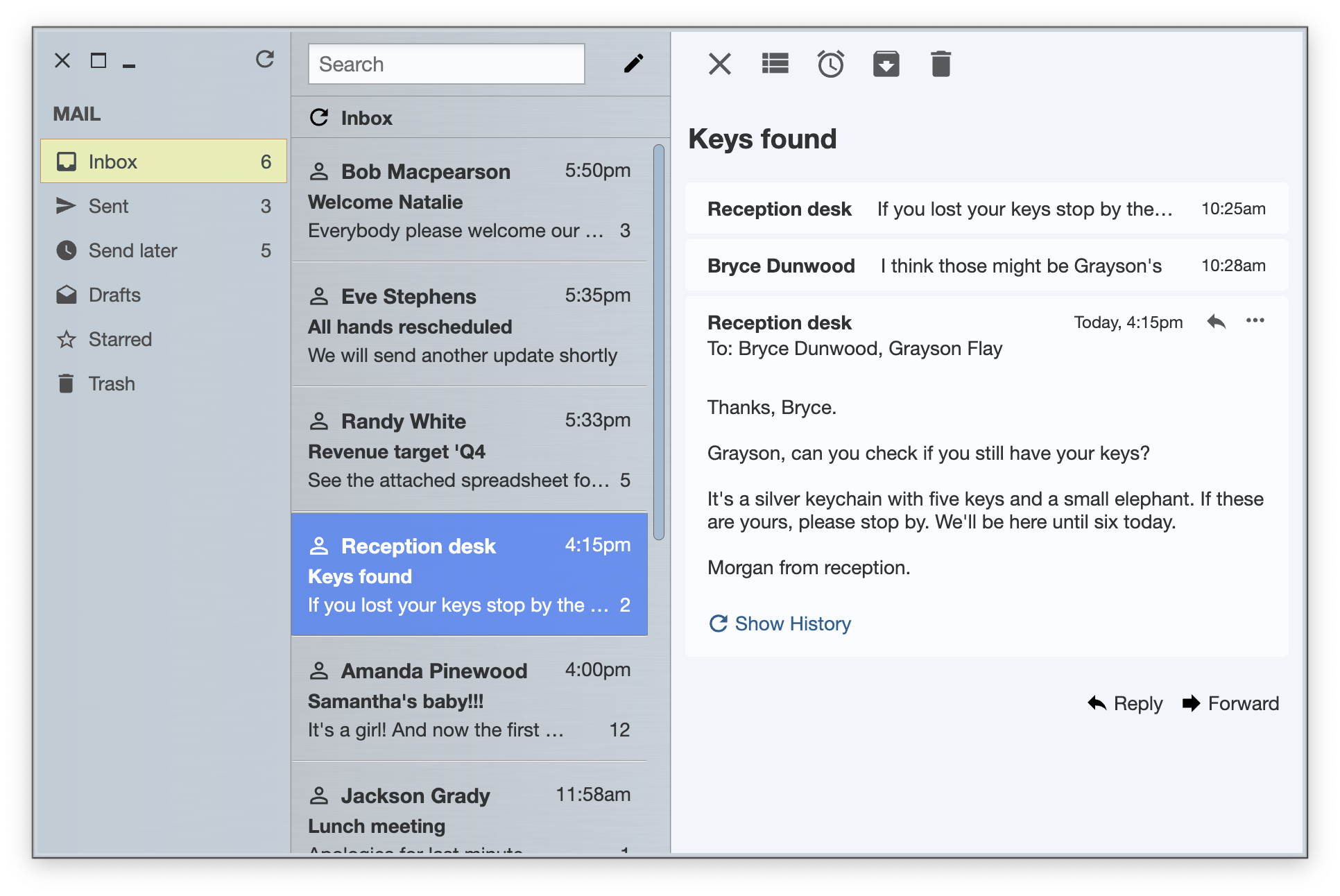
- The introduction of a brand new skin, Blueprint (image above)
Among the many other new features and bug fixes in this release:
Aurora focuses on helping you make elegant and high-performing desktop applications in Compose. If you’re in the business of writing just such apps, I’d love for you to take this Aurora release for a spin.

It’s been three years since the last Aurora release, and today I’m happy to announce its next major update.
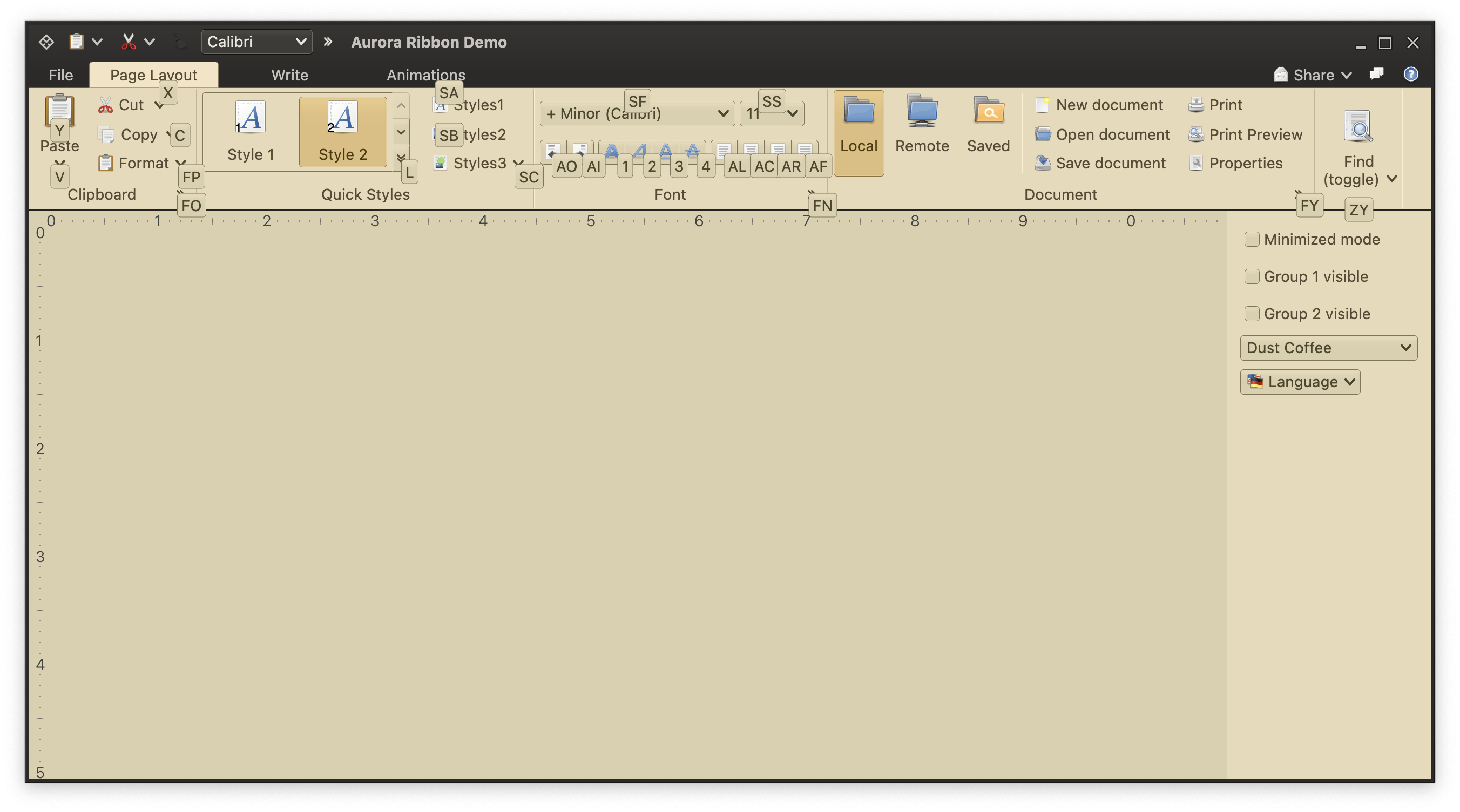
It took a bit of time to get here, but I’m hoping it was worth the wait. The first main addition in this release is the full-featured ribbon container that provides the functionality of the Microsoft Office command bar. It supports regular and contextual ribbon task groups, regular and flow ribbon bands, application menu, taskbar, and anchored command area. It also supports flexible and configurable resizing of the content for ribbon tasks, ribbon bands, and individual ribbon content pieces.
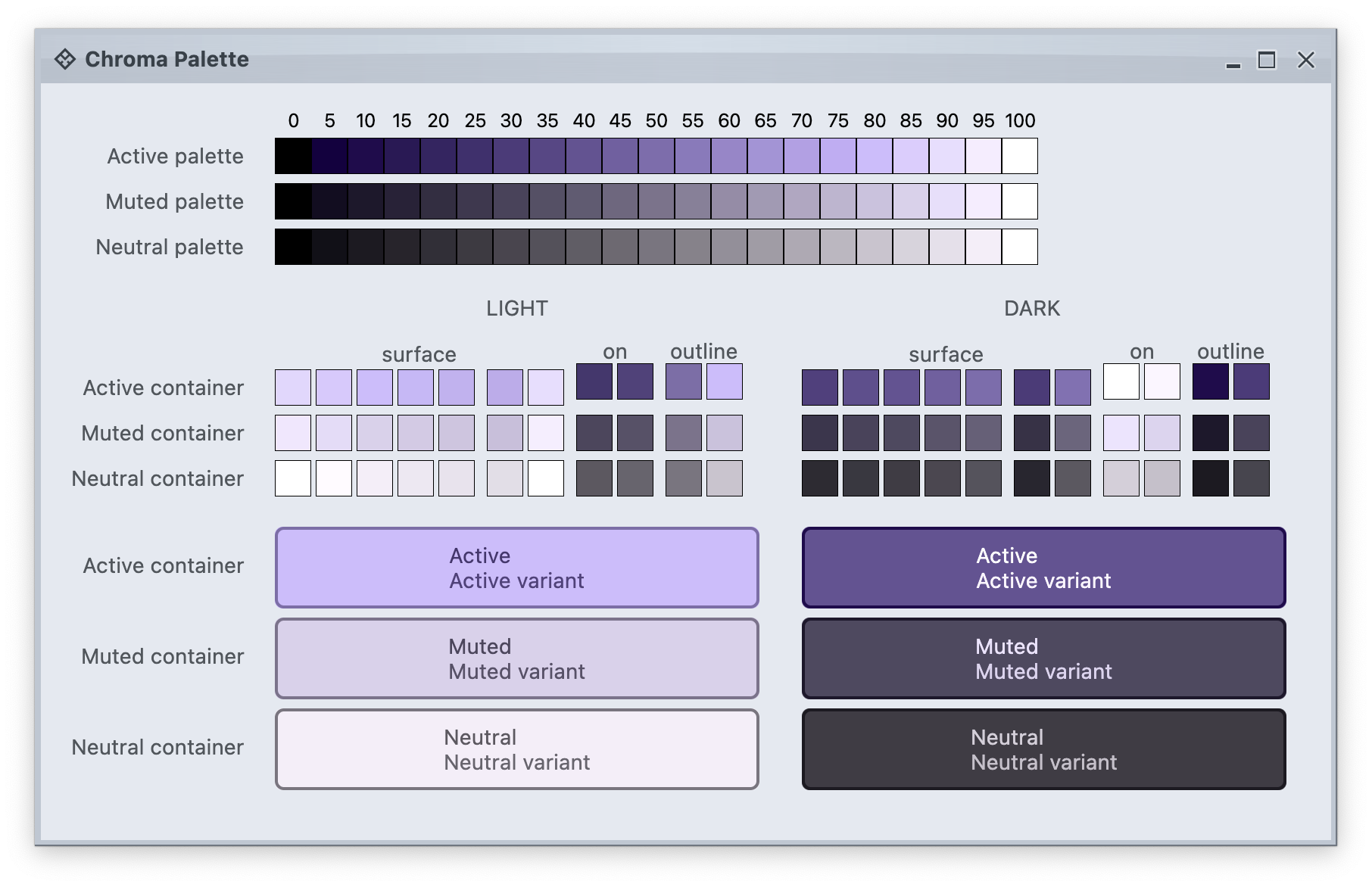
The second main addition is the full alignment with the changes that went into Radiance in the last year. Aurora 2 uses the Chroma color system from the Ephemeral design library, which builds on the core foundations of the Material color utilities.
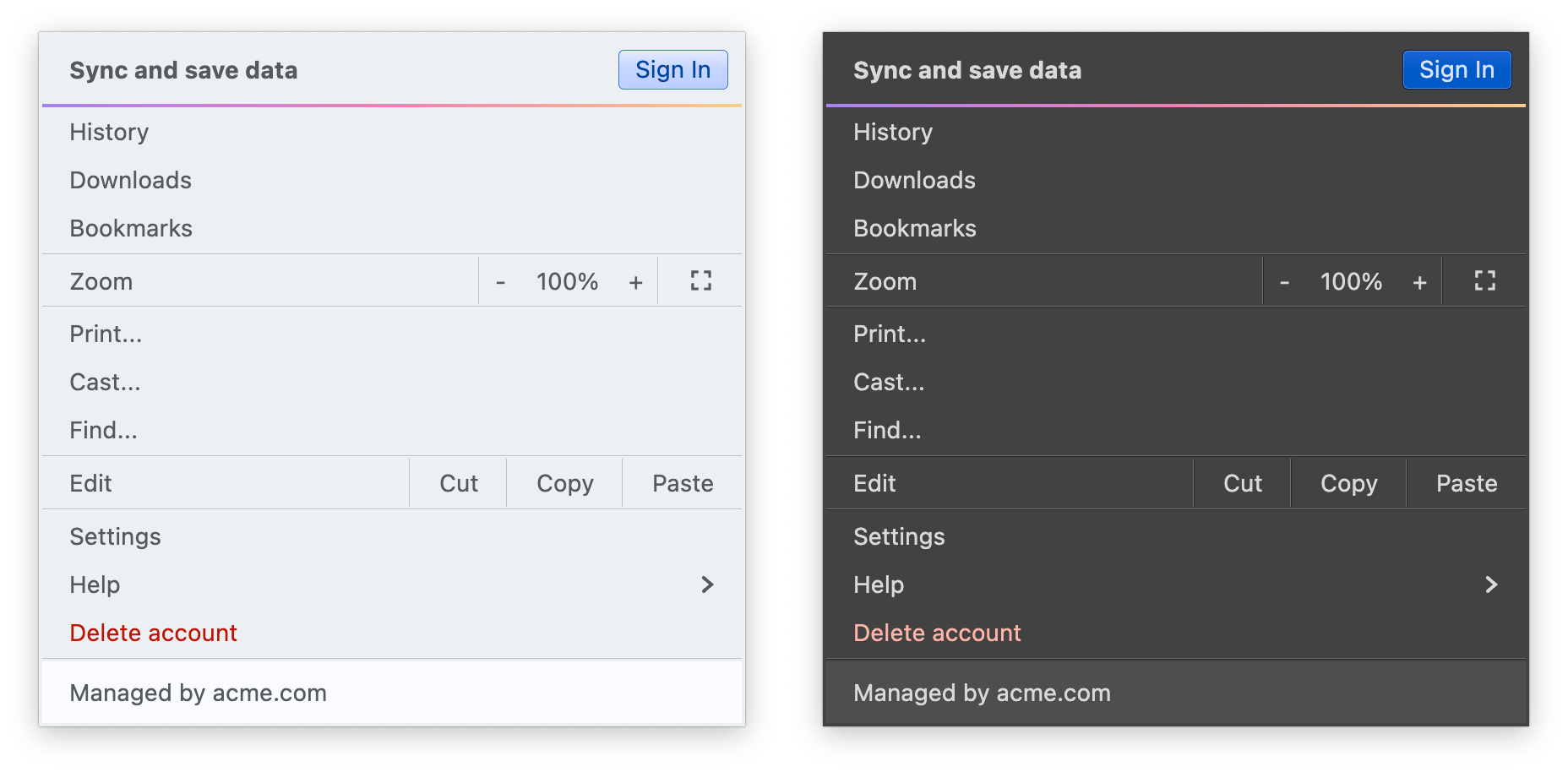
It introduces APIs for system tokens – info, warning, error, and success – that can be applied to any element in the UI hierarchy, like shown here for the “Sign In” button (info styling) and “Delete account” (error styling), seamlessly adapting to light and dark skins:
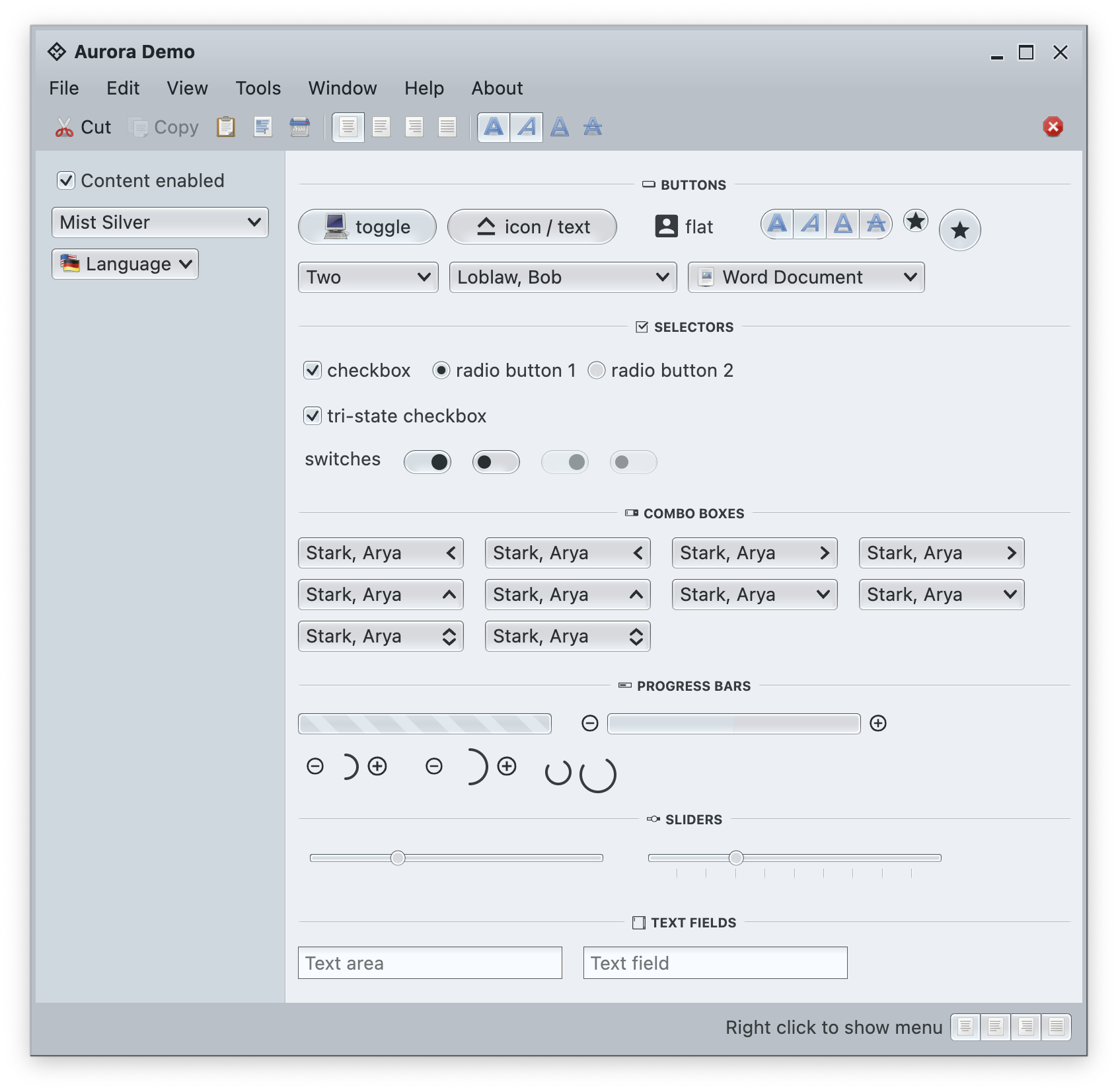
In addition to streamlining the painter APIs, this version adds new surface and outline painters that emulate the appearance of a 3D glass object lit from straight above, as can be seen here under the Mist Silver skin on buttons, combo boxes and other components:
Among the many other, smaller improvements in this release you will find:
The next couple of years are shaping up to be quite exciting for both Aurora and Radiance. If you’re in the business of writing desktop Compose apps, I’d love for you to take Aurora for a spin. Stay frosty for more features coming in 2026!

It’s been a busy year for my desktop-focused projects, and things are look bright going into 2023. Here’s the rough outline of what I’m planning to work on.
The first big chunk of work that will probably take at least another two or three months to complete is going to be bringing the full ribbon component to Aurora. This has started a few weeks ago, and I’m done with the first pass of prototyping the ribbon APIs. Those are not final yet, and they will get tweaked as I get to the implementation details of the many moving pieces underlying this component.
The second big chunk is going to be around defining and using colors. Code-named Chroma, this effort aims to bring more clarity and control over working with colors in core and custom skins, inspired by the ongoing evolution of design systems such as Material and others. Falling under the overall umbrella of the Ephemeral design system, the plan is to introduce it to both Aurora and Radiance, and replace the existing color scheme and their mappings.
And last but most definitely not the least, are the plans to explore the third twin to Radiance and Aurora, and bring the full breadth of Ephemeral, including its theming layer and all the components, to the world of Flutter. Much as Aurora, this is going to be a multi-year project.
Happy New Year and stay tuned for more details!
It gives me great pleasure to announce the fourth release of Aurora. Let’s get to what’s been fixed, and what’s been added. First, I’m going to use emojis to mark different parts of it like this:
💔 marks an incompatible API / binary change
🎁 marks new features
🔧 marks bug fixes and general improvements
Release notes
There’s still a long road ahead to expand Aurora’s capabilities in 2023 and beyond, with the ribbon / command bar planned as the next big addition. If you’re in the business of writing desktop Compose apps, I’d love for you to take Aurora for a spin. Stay frosty for more features coming in 2023!
